

People are changing the way they communicate, teach, and work by using more dynamic and visual tools. Among these, the interactive display panel now leads as a go-to solution for both professional and learning environments. As businesses and schools across Singapore explore new ways to boost engagement, interactive technology steps in to transform everyday screens into responsive, smart surfaces.
Let’s explore how these panels reshape interaction across rooms, subjects, and tasks.
Users can:
In offices, these features encourage faster brainstorming and clearer presentations. In classrooms, they enable students and teachers to collaborate more actively through lessons that combine movement, sound, and visuals. Whether in boardrooms or learning spaces they help participants stay focused and engaged with every tap.
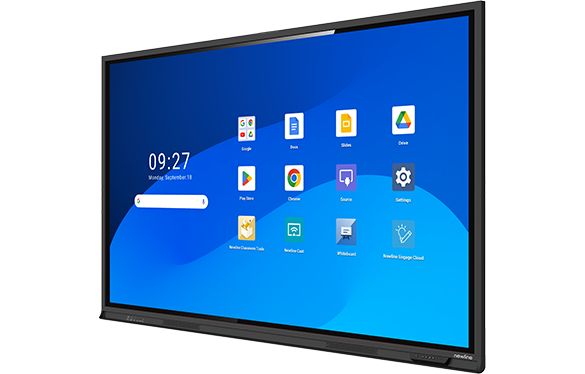
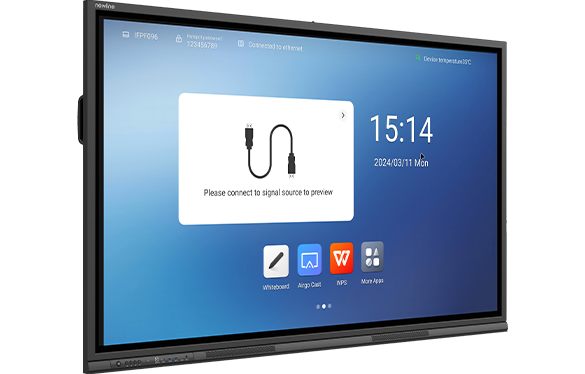
Meetings can often be slow or unclear. A smart conference room display eliminates confusion by combining all presentation tools in one sleek interface.
During discussions, an interactive flat panel display allows every participant to see, respond, and share ideas instantly. It replaces laptops, markers, and notepads with a single intuitive screen. Teams can draw charts, annotate documents, and review data together—enhancing collaboration in real time.
Video conferencing also becomes smoother. With built-in cameras and microphones, the display integrates seamlessly with platforms like Zoom or Microsoft Teams, ensuring everyone—remote or in person—stays connected without technical disruption.
Learning becomes more engaging when students participate actively. An interactive display for classes turns a regular lesson into a multi-sensory experience.
Teachers can:
These displays handle drawing, writing, and media playback effortlessly. Each touch brings lessons to life, supporting both fast and slow learners. Teachers can also save and share completed lessons for easy revision, turning the classroom into a hub of interactive discovery.
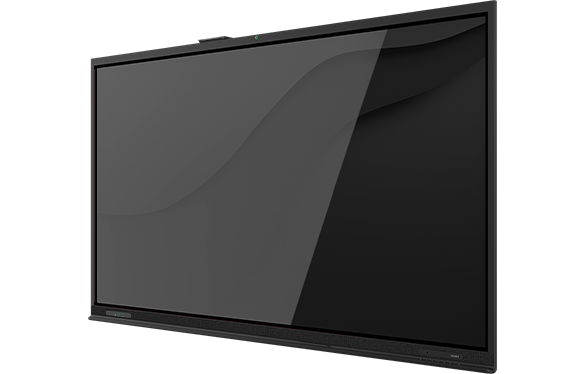
When it comes to reliability, Newline and FTI stand out for their performance and user-friendly designs.
Newline panels combine clarity, flexibility, and ease of use, making them ideal for workplaces and schools alike. Built with durable anti-glare glass and multi-touch interaction, they let multiple users draw or write at the same time without lag. The displays work seamlessly with both Android and Windows, offering quick setup and smooth performance for meetings or lessons.
Beyond their practical features, Newline panels support wireless casting and advanced whiteboard tools, allowing instant sharing and teamwork. Their responsive touch and clean, modern design make collaboration effortless and professional. With intuitive controls and reliable connectivity, these panels help create productive spaces that encourage interaction and focus.
FTI panels combine durability, precision, and clarity—perfect for both offices and classrooms. Their 4K resolution delivers sharp visuals for reports, designs, and lessons, while advanced touch recognition ensures smooth, accurate interaction. Whether sketching ideas or presenting data, users enjoy a seamless and engaging experience.
Built for performance and reliability, FTI panels work well with various software and devices. The responsive writing tools follow every motion effortlessly, giving a natural writing feel. Designed to handle daily use, they provide long-term value with consistent quality, making them a trusted choice for teams and educators who need dependable interactive displays.
In Singapore, Exotic Office Solutions stands as a trusted distributor for Newline and FTI products, providing high-quality touch screen display solutions that blend innovation with reliability. Each display is backed by comprehensive local support, ensuring smooth installation, timely maintenance, and responsive service. Businesses and schools can depend on Exotic for systems that perform consistently, supported by a team that understands the demands of Singapore’s fast-paced environments.
Exotic’s product range is carefully curated to match local requirements — from classroom learning to corporate collaboration. Each touch screen display is designed with attention to detail, taking into account Singapore’s power standards, room sizes, and teaching or presentation styles. Ready stock availability also ensures shorter lead times, helping customers deploy solutions quickly without waiting for overseas shipments. This approach allows organisations to enjoy modern technology that fits seamlessly into their workflow.
Beyond supplying quality hardware, Exotic delivers an ecosystem of value-driven support. The company focuses on helping users maximise the benefits of their systems — providing training, troubleshooting, and expert guidance for optimal use. With a commitment to customer satisfaction and innovation, Exotic empowers every client to communicate, collaborate, and create with confidence.
Technology continues to transform how people meet, learn, and innovate. Businesses and schools adopting interactive display in Singapore solutions now expect tools that save time, reduce friction, and encourage real participation.
These panels simplify:
Users can switch effortlessly between touch, voice, or wireless control, making these panels essential in modern communication spaces. More than just screens, they act as intelligent partners—responding, storing, and sharing ideas in real time.
An interactive display panel is a touchscreen system that lets users write, draw, and control content directly. It’s used in classrooms, offices, and meeting spaces to support visual, hands-on communication.
Yes. Many screens support wireless casting, allowing content to be shared instantly from smartphones, tablets, or laptops.
Absolutely. Even small classrooms benefit from interactive flat panel displays. Their bright visuals and intuitive tools ensure visibility and engagement for all students.